EnergyConnect
In EnergyConnect, you can:
- register an account with AusNet
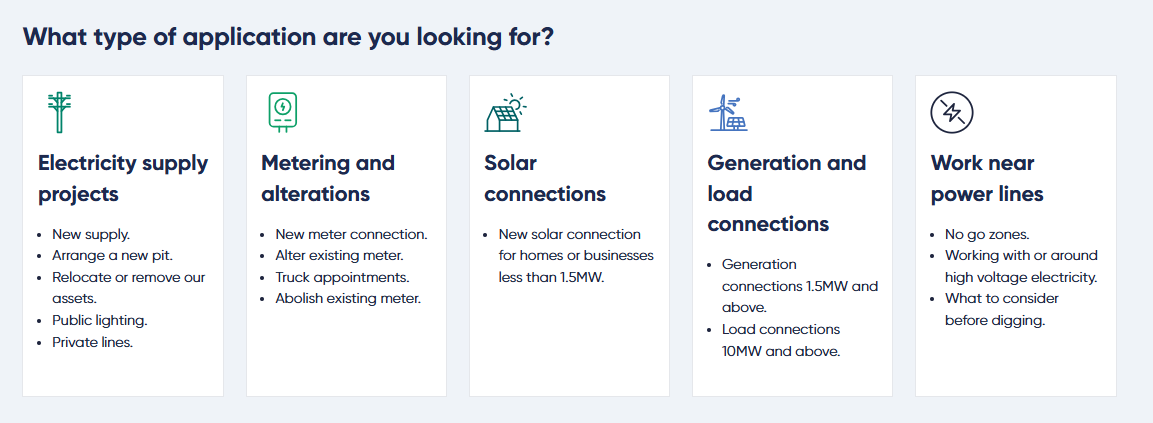
- create supply, metering, solar and major connection applications
- save and revisit draft applications
- track the progress of a project
- submit enquiries
- securely upload documents.
EnergyConnect allows you to submit applications to upgrade, extend or change our network, or meter-related connections for your project needs. Submit applications including:
- new or increased supply
- EV charger installations
- pit installations
- private mains on public land applications
- private line removal
- public lighting
- relocating or removing assets or equipment
- high voltage supply and major connection and generation projects
- solar applications less than 1.5MW
- meter-related connection, alteration and abolishments.
Getting started
Step 1. Register for an account
Register for one of the following account types:
- Residential customer - includes residential or business customers
- Industry - includes electricians, company administrators, contractors, developers and installers
- Government agency - representative of a council, VicRoads or other related agency.
If you register with an industry account, you'll need to provide your specific role, company name and ABN. You’ll also have access to a wider selection of applications.
To read frequently asked questions about how to register or login, visit EnergyConnect FAQs.
How to register for an account in EnergyConnect:
Step 2. Prepare documentation
Depending on your application, you may need:
- your contact details and those of your representative (if applicable)
- the property details including the address, and for existing properties, the National Metering Identifier and meter number
- your new or upgraded electricity supply requirements
- solar or battery system size, capacity and export information
- other documentation including Certificates of Electrical Safety, property sketches or plans of subdivision.
If you’re unsure about your electricity supply or technical requirements, speak to your electrician who can provide these details. Your electrician can also complete the application on your behalf.
Step 3. Start your application
Either click on the Application Quickstart button on your homepage and follow the prompts or go to Applications & requests using the button at the top right of your screen to view all available applications.